Inventory Price Settings Panel
The Inventory Price Settings panel is used to define which prices from the dealer management system (DMS) display for vehicles' manufacturer suggested retail prices (MSRPs) and sale prices. These prices display on vehicle deal proposals throughout the XtreamService application.

|
The Inventory Price Settings panel displays on the General Settings screen. To access the General Settings screen, click the |
 (More) icon and then click the General Settings link in the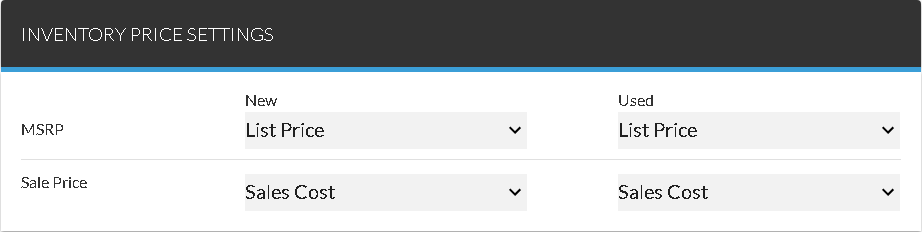
To define a price to display as the MSRP or sale price, select an entry in the corresponding field in the New column or the Used column. For example, to display the list price for vehicles in MSRP fields throughout the XtreamService application, select List Price in the New column in the MSRP row.
The following fields are available in the Inventory Price Settings panel.
MSRP - New: Select the dealer management system (DMS) price that displays as the manufacturer suggested retail price (MSRP) for new vehicles on lead sheets. Click the  (Down Arrow) icon to display a list of valid entries.
MSRP - Used: Select the DMS price that displays as the MSRP for used vehicles on lead sheets. Click the (Down Arrow) icon to display a list of valid entries.
Sale Price - New: Select the DMS price that should be used when calculating the sale price for new vehicles on lead sheets. Click the (Down Arrow) icon to display a list of valid entries.
Sale Price - Used: Select the DMS price that should be used when calculating the sale price for used vehicles on lead sheets. Click the (Down Arrow) icon to display a list of valid entries.
Click here for a list of products that may be mentioned in this help file.